Everything in one place
Every feature, labeled by plan. Free covers one signup at a time, with reminders and no ads. Pro adds the rest.
No credit card. Set up your first signup in a few minutes.
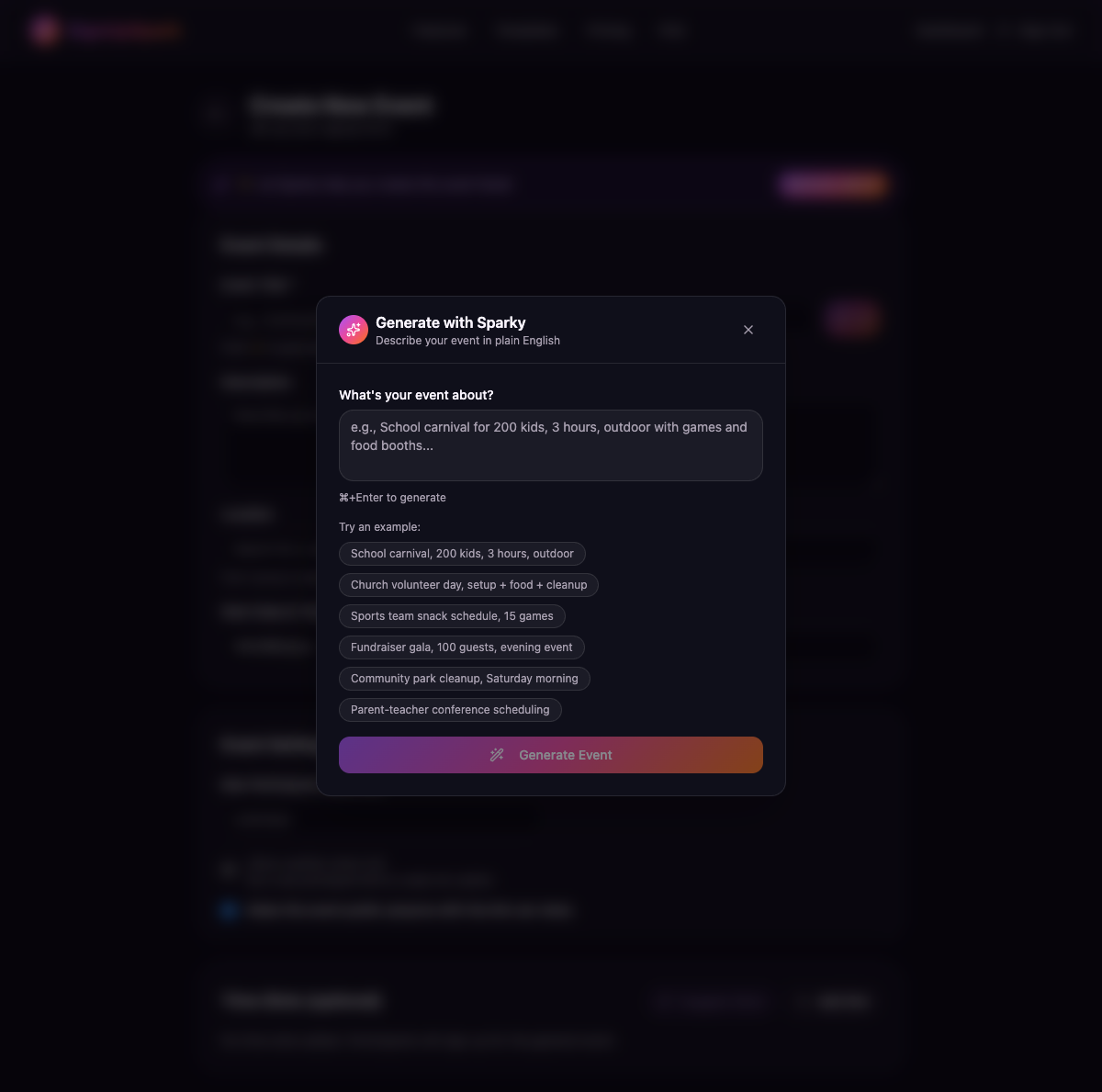
Create With AI Event Creation
Describe your event in plain English, like "School carnival Saturday June 15, three hours, four booths, two volunteers each," and Create With AI drafts the event with time slots, a description, and capacity. You review it and publish.
- ✓ AI-generated title, description, and slots
- ✓ Smart time slot suggestions
- ⭐ 50 chats an hour on Pro, more on Teams.
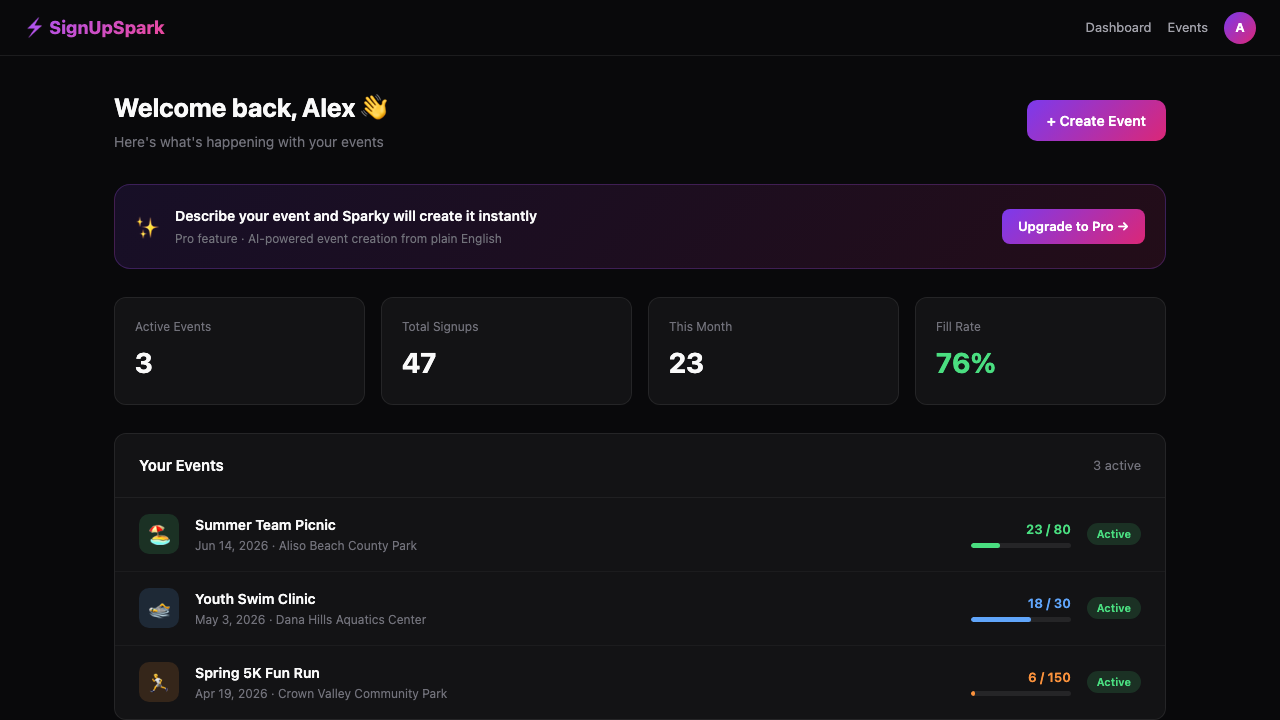
Event Management Dashboard
See all your events in one list: what's live, what's a draft, and how many people have signed up. Edit, view signups, or share in one click.
- ✓ 1 active event, 25 signups (free)
- ✓ Live signup counts
- ✓ One-click Duplicate — next week's event in seconds
- ✓ Past events complete themselves automatically
- ✓ Email notifications
- ⭐ Unlimited events (Pro)
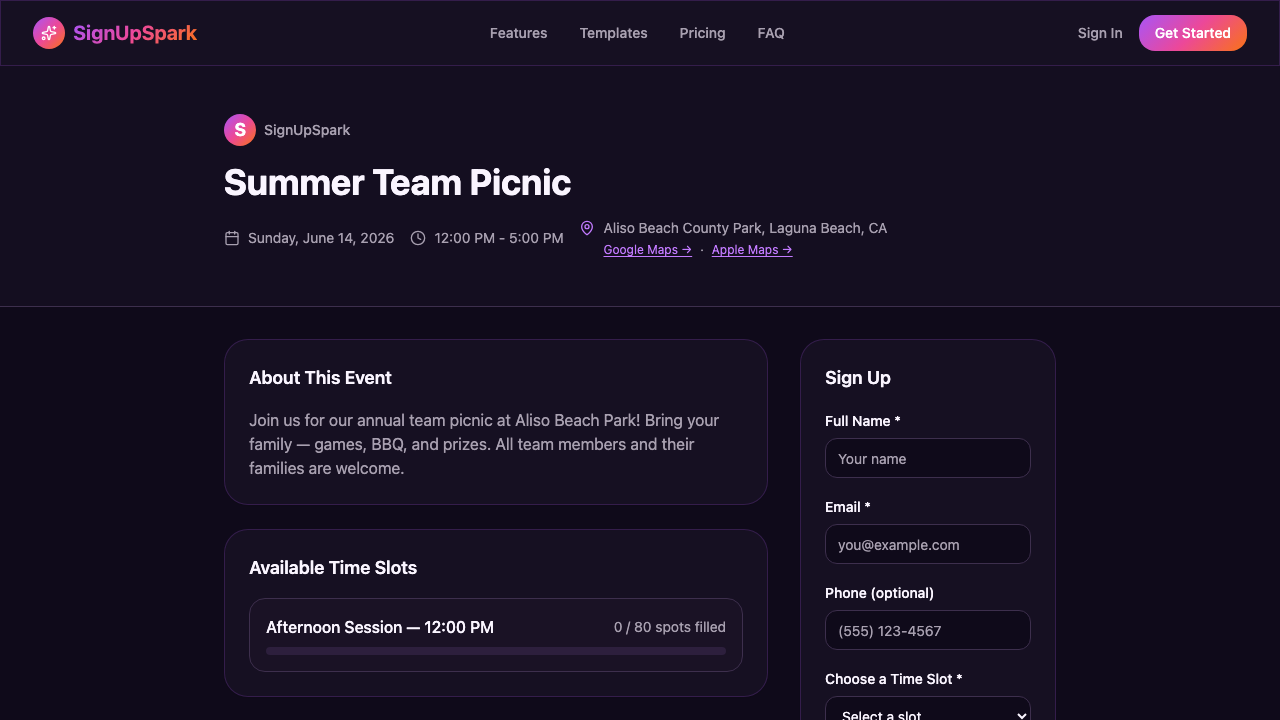
Public Event Page + No-Login Signup
Every event gets its own public link. People open it, enter their name and email, and they're signed up. No account, no password, no app.
- ✓ Clean public /e/[slug] URLs
- ✓ No account needed for attendees
- ✓ Who's Coming list — show or hide it per event
- ✓ Waitlist when slots fill up
- ✓ Optional note with each signup ("bringing the gluten-free one")
- ✓ Email confirmation on signup
24 hours before: "You're bringing orange slices Saturday." 1 hour before: "Seriously, the orange slices."
Reminders That Do the Chasing
Every attendee gets an email 24 hours before the event and another 1 hour before. Their slot and notes are in the email, times are in the event's timezone, and there's a one-tap cancel link if plans change. You stop being the group's human alarm clock.
- ✓ Automatic 24-hour and 1-hour reminders
- ✓ Each reminder includes that person's slot and notes
- ✓ One-tap cancel link — no reply-all "can't make it"
- ✓ Time and location changes notify everyone signed up
- ⭐ Delivery, open, and click receipts on invites and nudges (Pro)
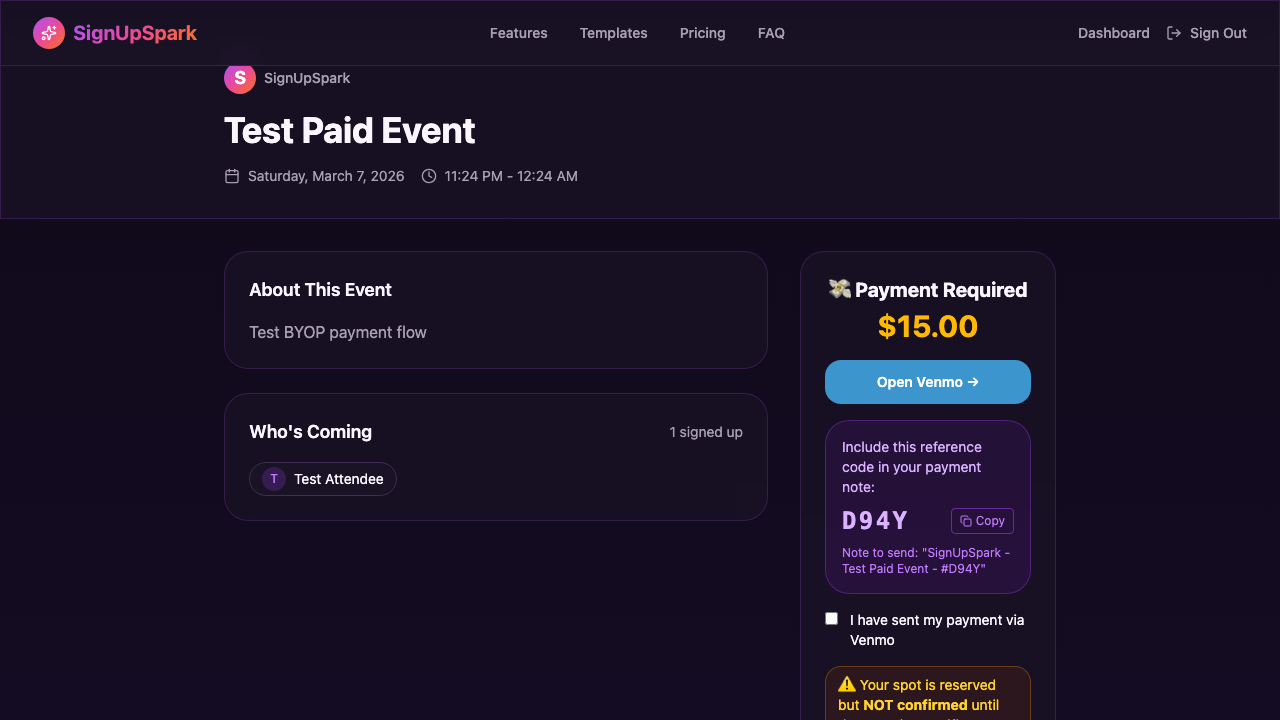
Collect Payments via Venmo & PayPal
Collect money with the Venmo or PayPal account you already have. Attendees pay you directly, and SignUpSpark charges no platform fees. Standard Venmo/PayPal fees may apply.
- ⭐ Venmo + PayPal support
- ⭐ Reference code tracking
- ⭐ Manual payment confirmation dashboard
- ⭐ Payment waiver option per attendee
Easy Sharing + Link Previews
When you paste your link into Facebook, a group text, or WhatsApp, it shows a preview card with the event name and date. The share button gives you the link, a ready-to-send message, a QR code for the flyer, and embed code for your website.
- ✓ Automatic link preview image
- ✓ One-click share to Facebook, X, WhatsApp, and more
- ✓ QR code you can download and print
- ⭐ Upload your own preview image (Pro)
Saturday snack rotations, weekly practices, the monthly park cleanup.
Recurring Events
Set the pattern once and SignUpSpark creates every date in the series, each with its own signup page. No rebuilding the same sheet every week.
- ⭐ Daily, weekly (pick the days), or monthly
- ⭐ Each date gets its own signup page
- ⭐ The whole season of dates in one step
Organizations + Team Branding
Five organizer seats, white-label event pages, and shared management, so the whole PTA board or ministry team can run signups together. Your organization's branding goes on every public page.
- 🏢 5 organizer seats
- 🏢 White-label (remove our branding)
- 🏢 Multi-admin co-management
- 🏢 5,000 notification emails/day (confirmations, reminders)
- 🏢 Create With AI, more on Teams
- 🏢 Organization branding on all pages
- 🏢 Dedicated priority support
Teams comes with a 14-day free trial.
Event Page Theming
Add your colors, logo, and a cover image so the page looks like it came from your group, and people know they're in the right place.
- ⭐ Your brand colors
- ⭐ Logo upload
- ⭐ Cover image on the event page
- ⭐ Remove "Powered by SignUpSpark" (Teams only)
Start for free. Upgrade when you're ready.
No credit card, and no ads on your signup page.